My Role
Kickoff, primary & secondary research, wireframe & prototype, extract and document the design system.
Team
Taarush, Tanmay
Duration
3 Months
01
The brief
Apnamart is a hyperlocal grocery chain built for Tier-2 and Tier-3 India. Beyond their physical stores, they also run a quick-commerce front; customers can order groceries online and get them delivered in 10–15 minutes, similar to Blinkit or Instamart.
The stores already had a POS system running; but it took on average 140 seconds to complete the billing process. This had to change, the team came to us with two asks:
Redesign the fixed POS to cut billing time dramatically.
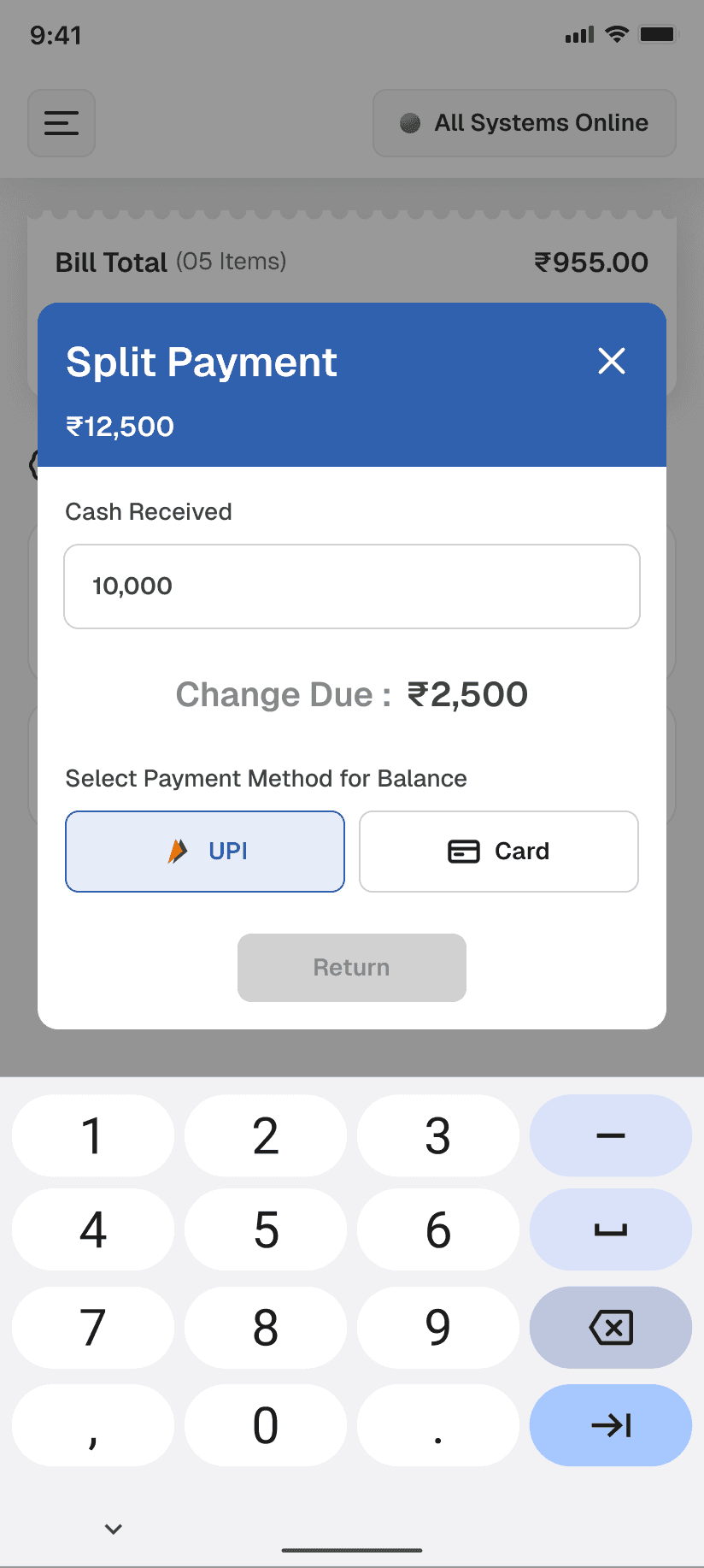
Redesign the mobile POS cashiers use when the fixed counters got overwhelmed.
02
Cashiers & hiccups in billing
The cashiers at Apnamart stores are largely from Tier-2 and Tier-3 India. Some educated, most not. The two applications they use most: WhatsApp and YouTube. That became our baseline for technical literacy. Anything that demanded more than that was a risk.
The interface had to be guided, i.e., limited choices at each step, progressive disclosure, & dead ends.
Before hitting F on Figma, we audited the existing system.

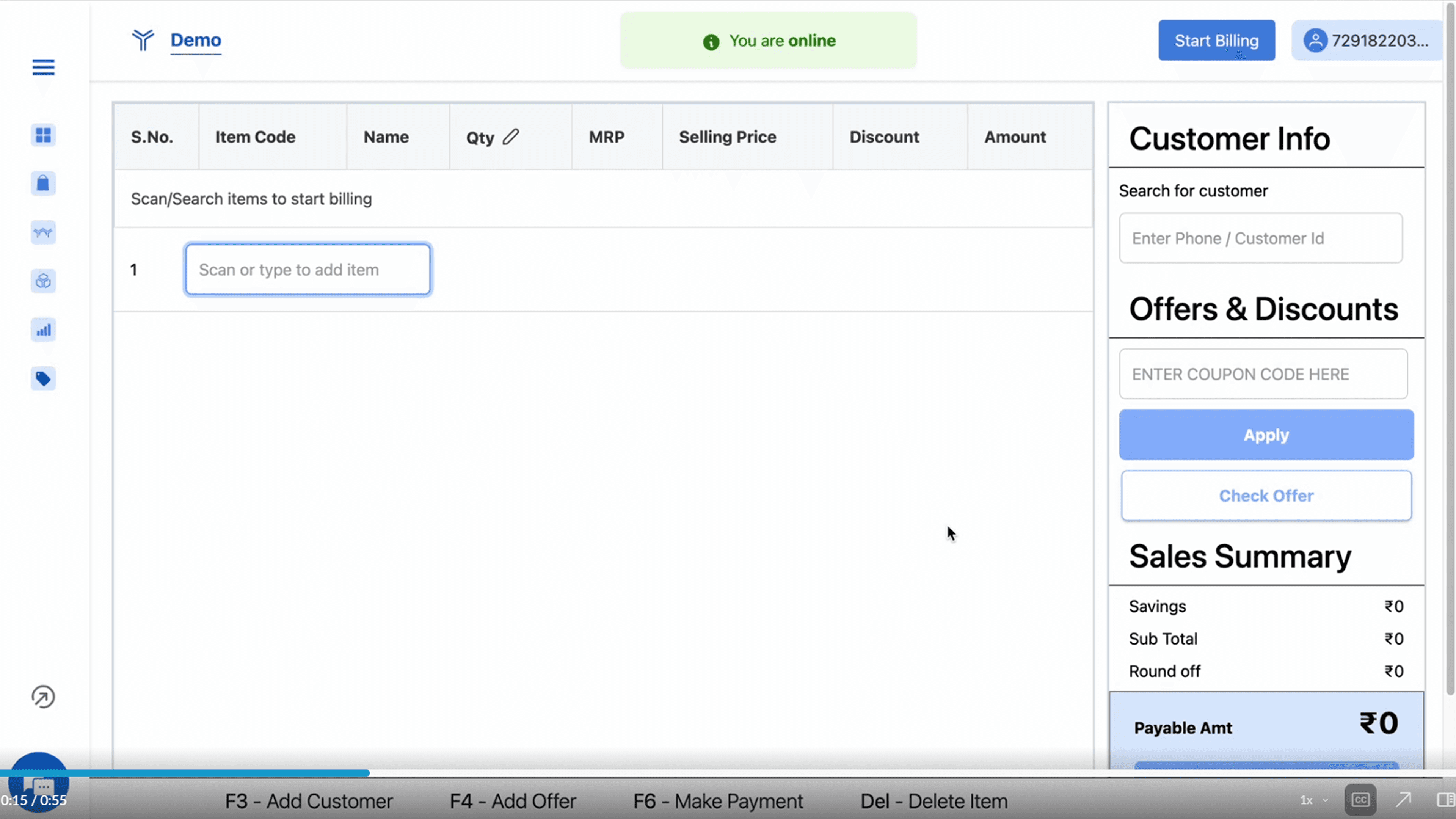
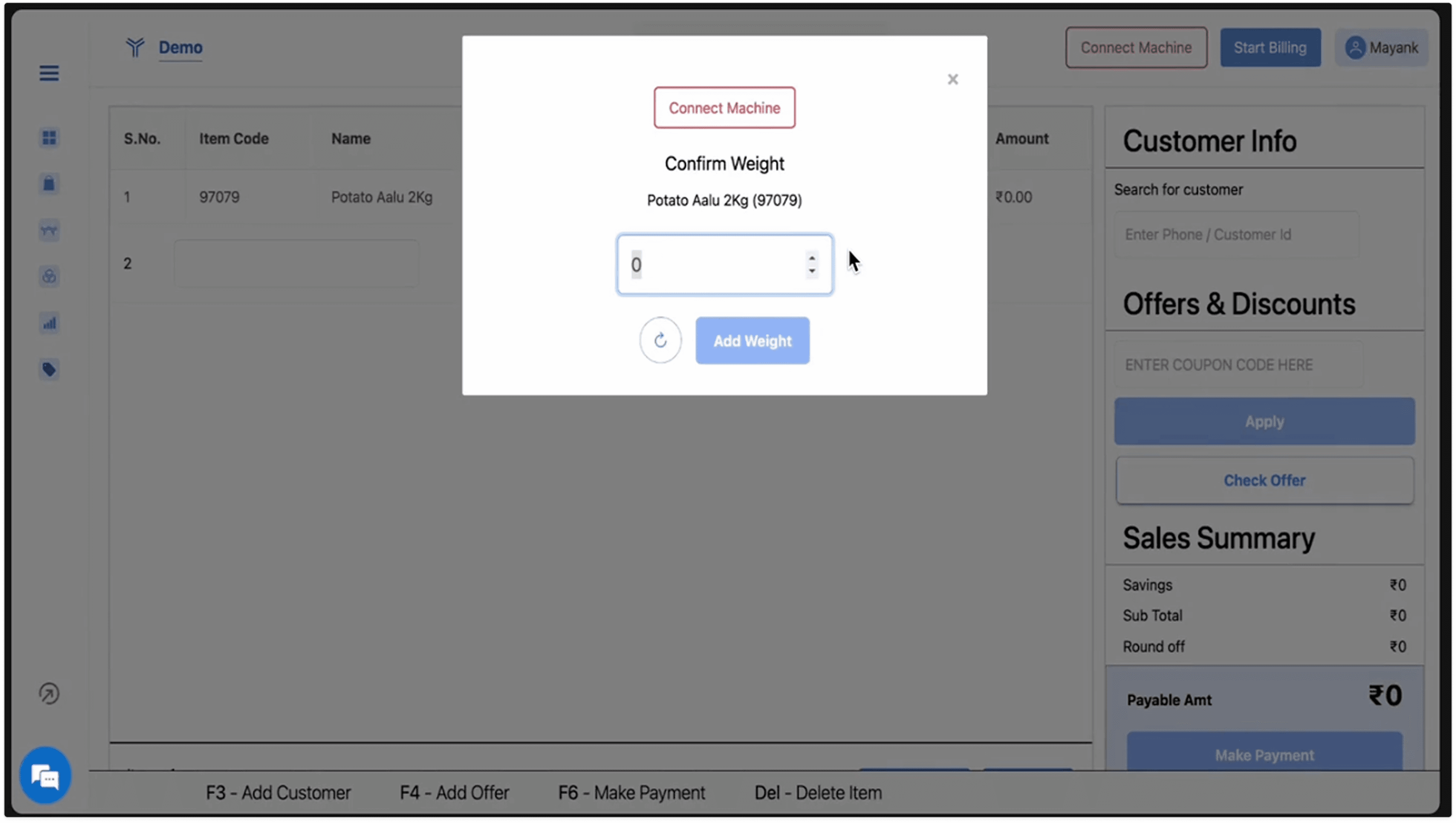
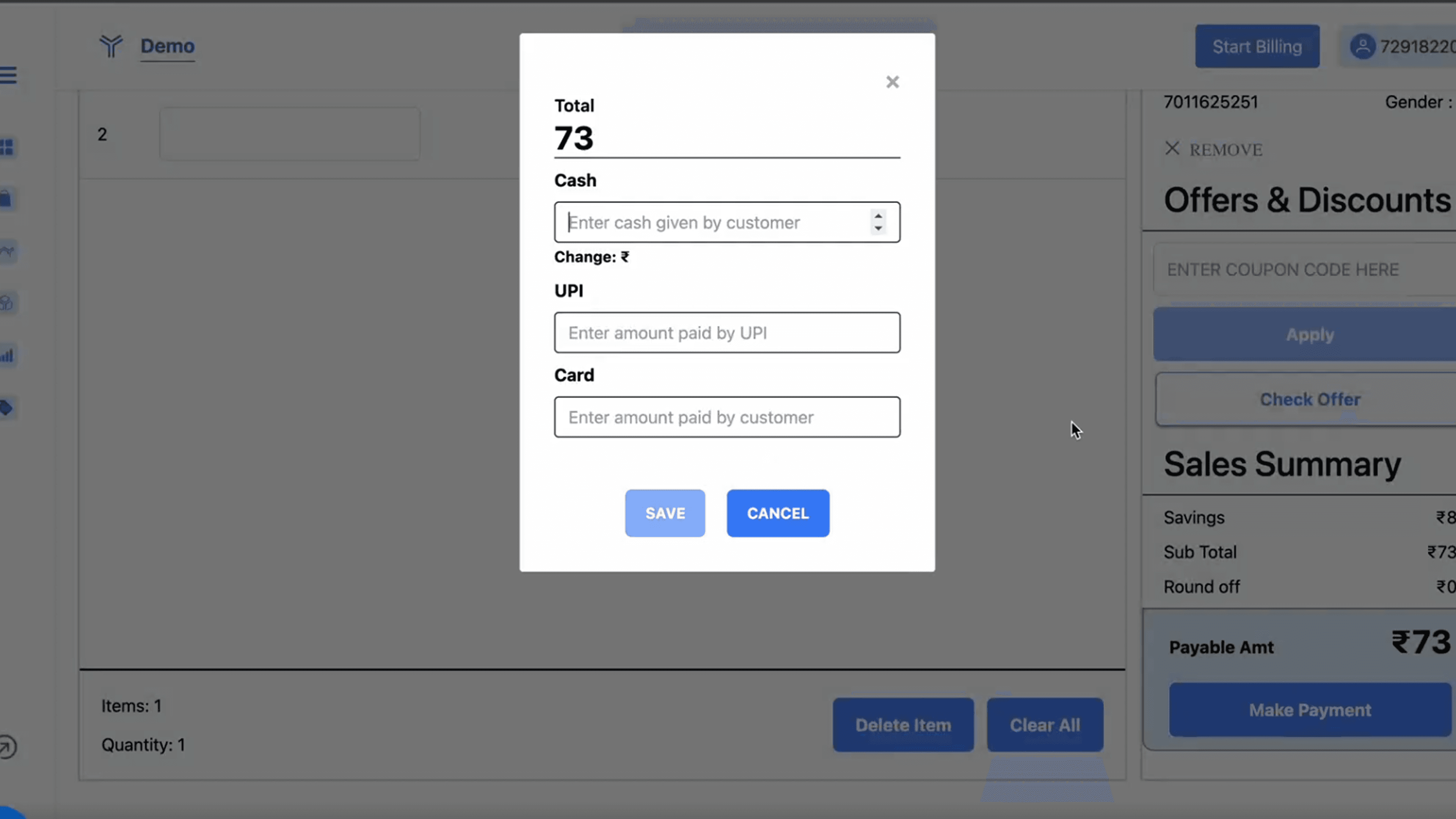
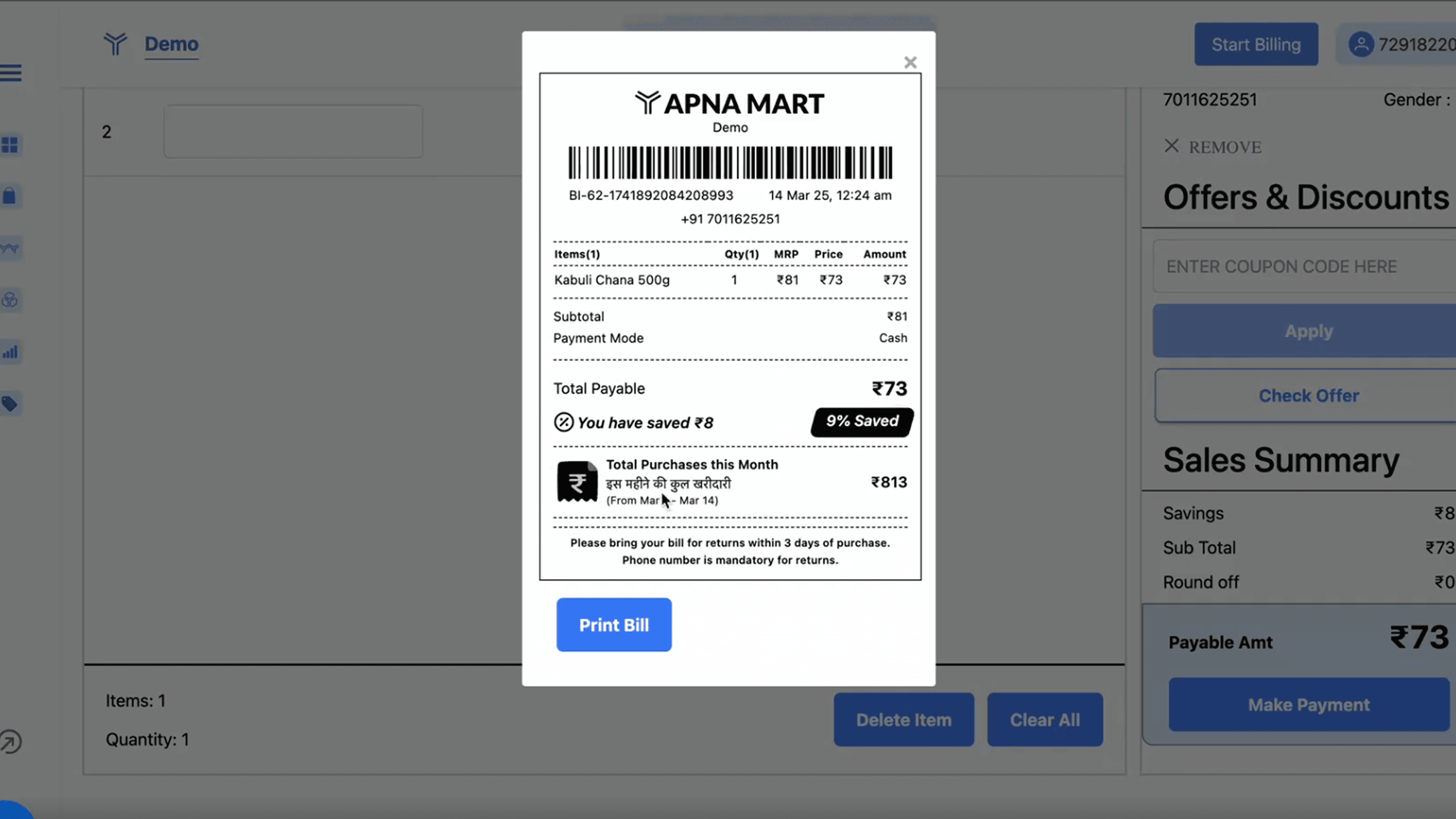
Images: existing POS design
We mapped the average journey a cashier takes from login to completing a transaction. The billing journey splits into three scenarios depending on what's in a customer's cart:
If All items barcoded: 10–12 steps
If half are barcoded, half not: 20–24 steps
All non-barcoded items: 30–35 steps
Non-barcoded items were the clearest target. That's where the most time was being lost.
Why?
Cashiers had to search for these items in the directory
The search itself was broken
Cashiers could only search by SKU numbers, that meant
Either they had to remember each SKU numbers
Or, go to another listing page to find the SKU number and then add the item
iFrame: user flow audit
Loose items added another layer. At Apnamart, weighing machines sit at the billing counter, not near the products. So cashiers weigh loose goods like dal, rice, and wheat mid-transaction. In the existing system, this opened a separate window, and added steps that accumulated across hundreds of transactions a day.
The payment stage had its own friction. Applying offers meant manually entering coupon codes; error-prone, with no shortcut. For UPI payments, cashiers had to re-enter the bill total before the QR screen appeared. Small individually, significant at scale.
03
We thought we were done
With the audit complete and the PRD refined, we started designing. Here's what we did and why:
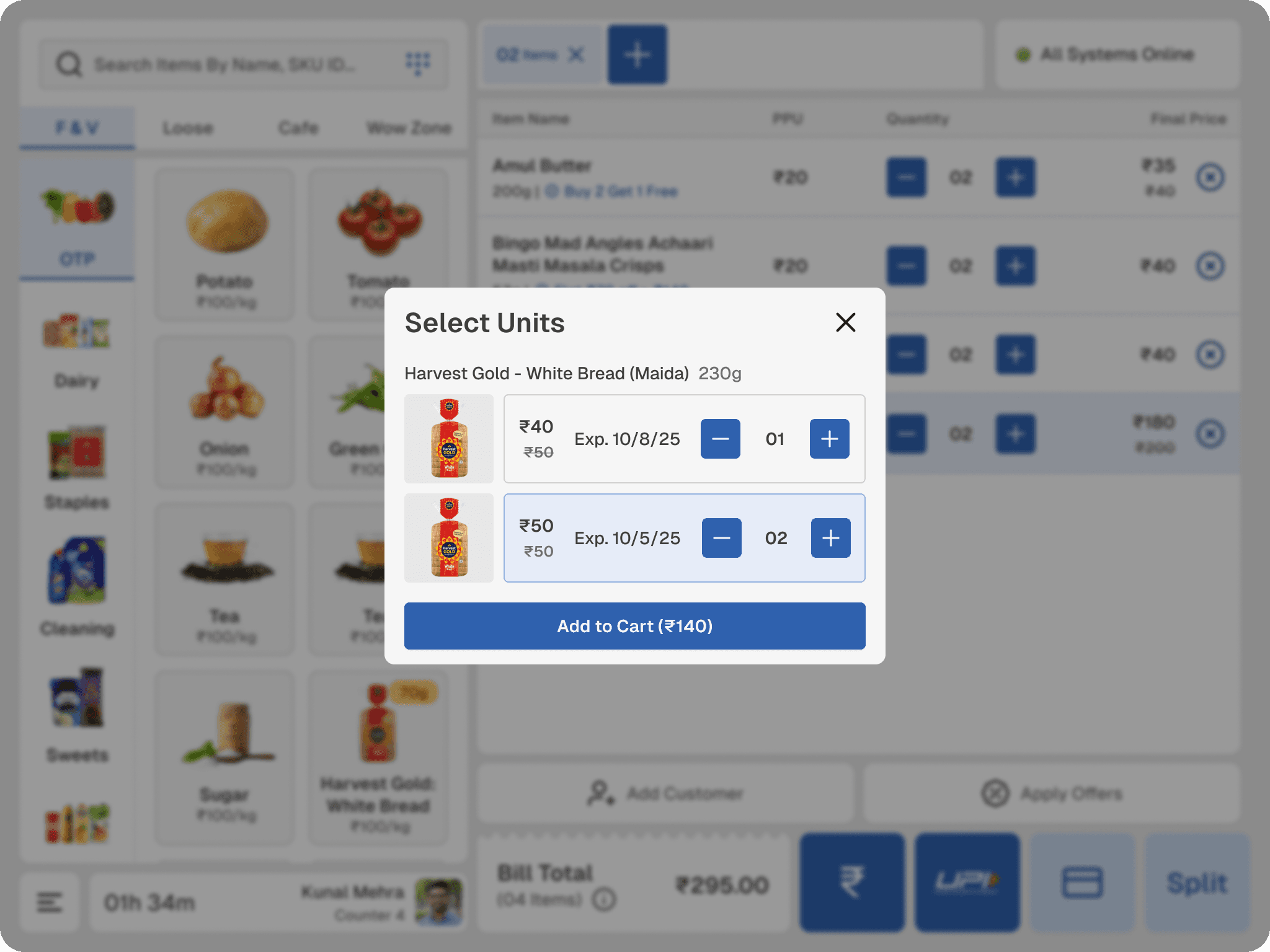
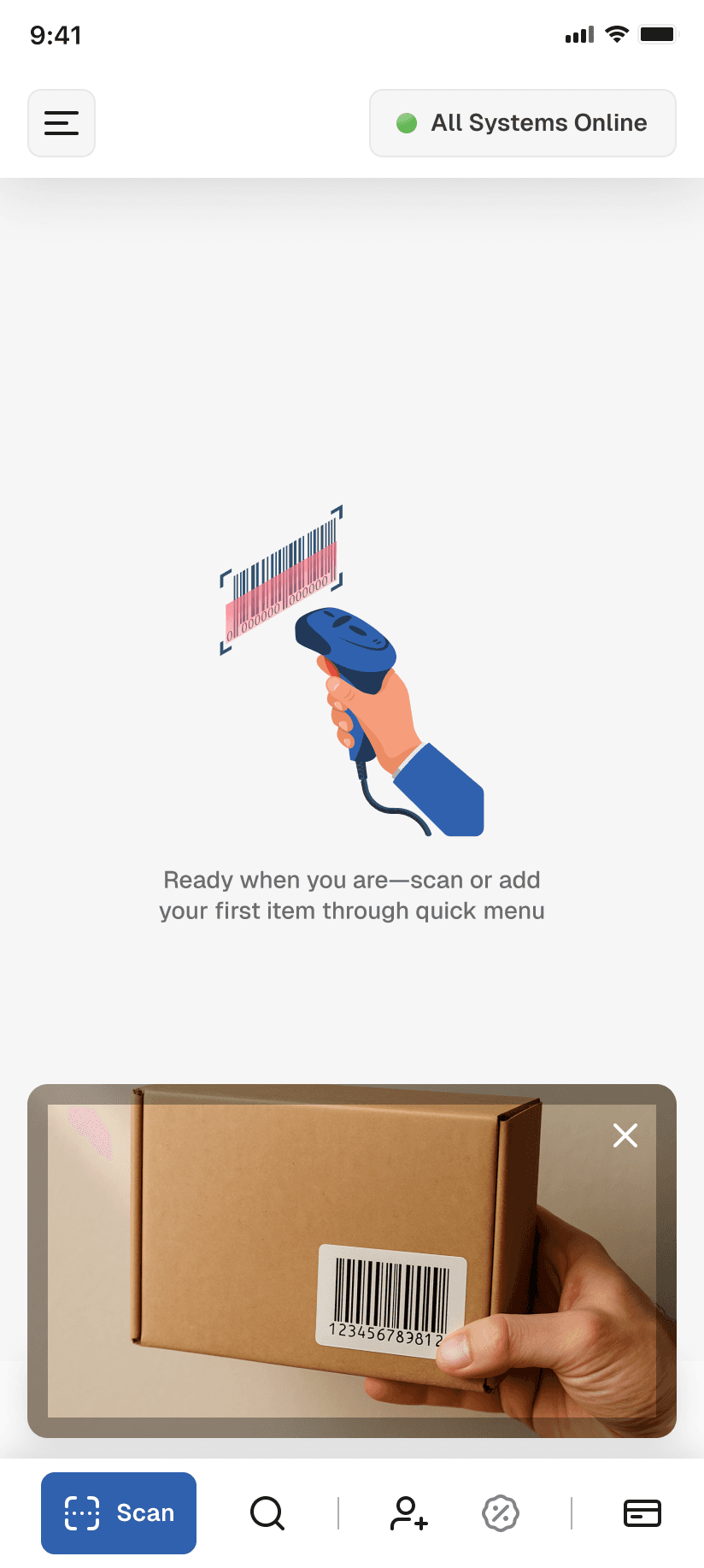
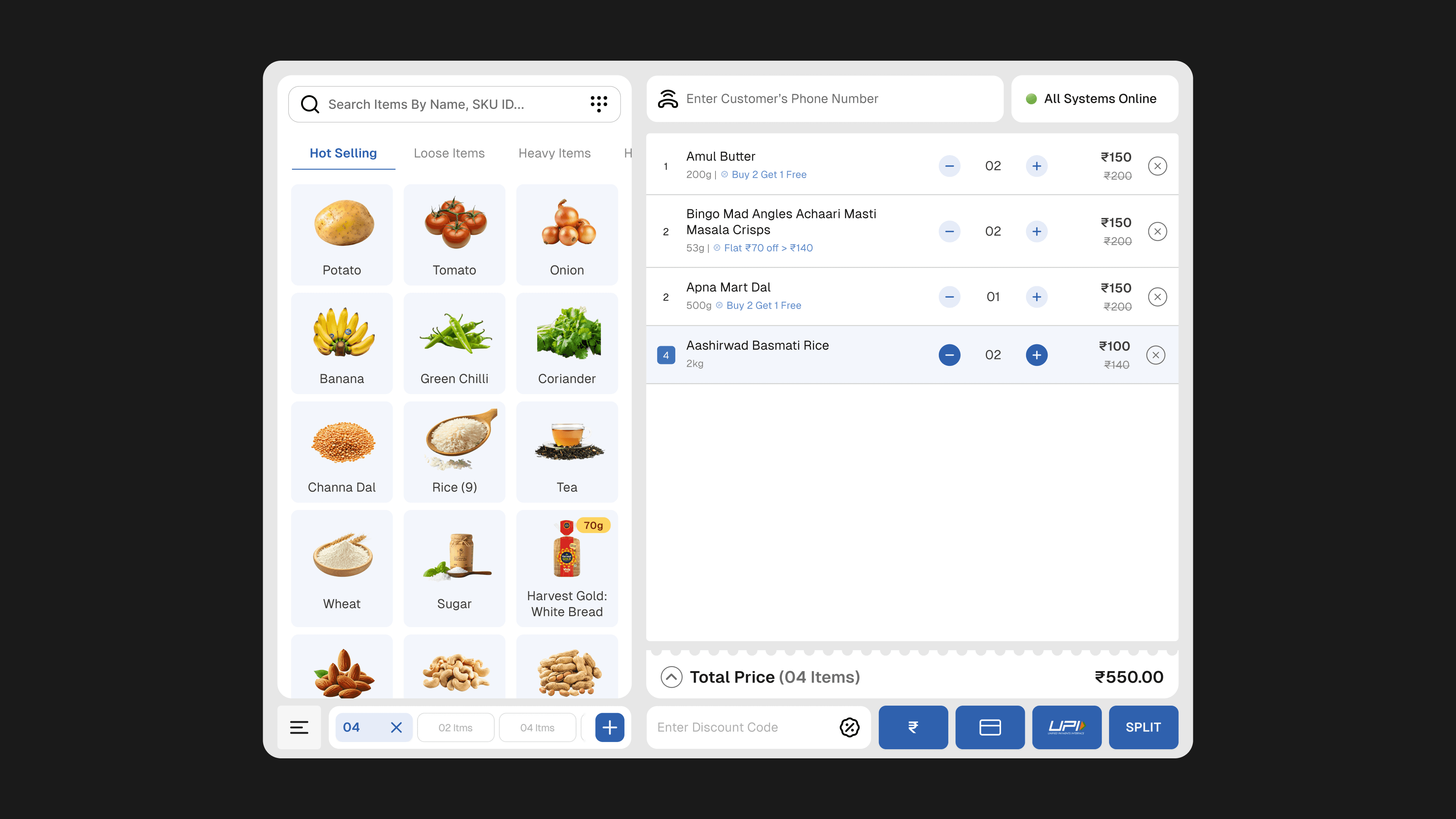
The quick-access panel gave cashiers a visual grid of top-selling items by category. No barcode, no search — just a tap.
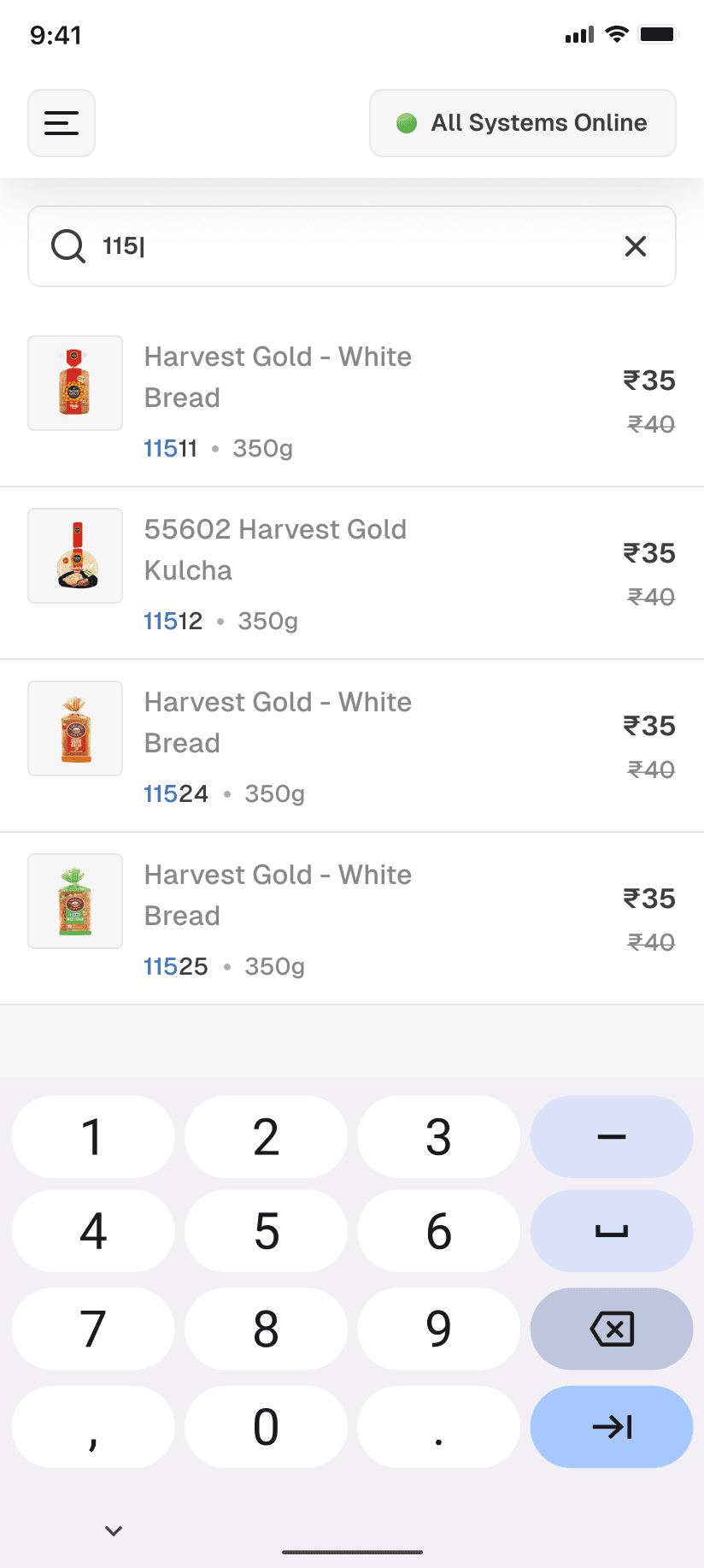
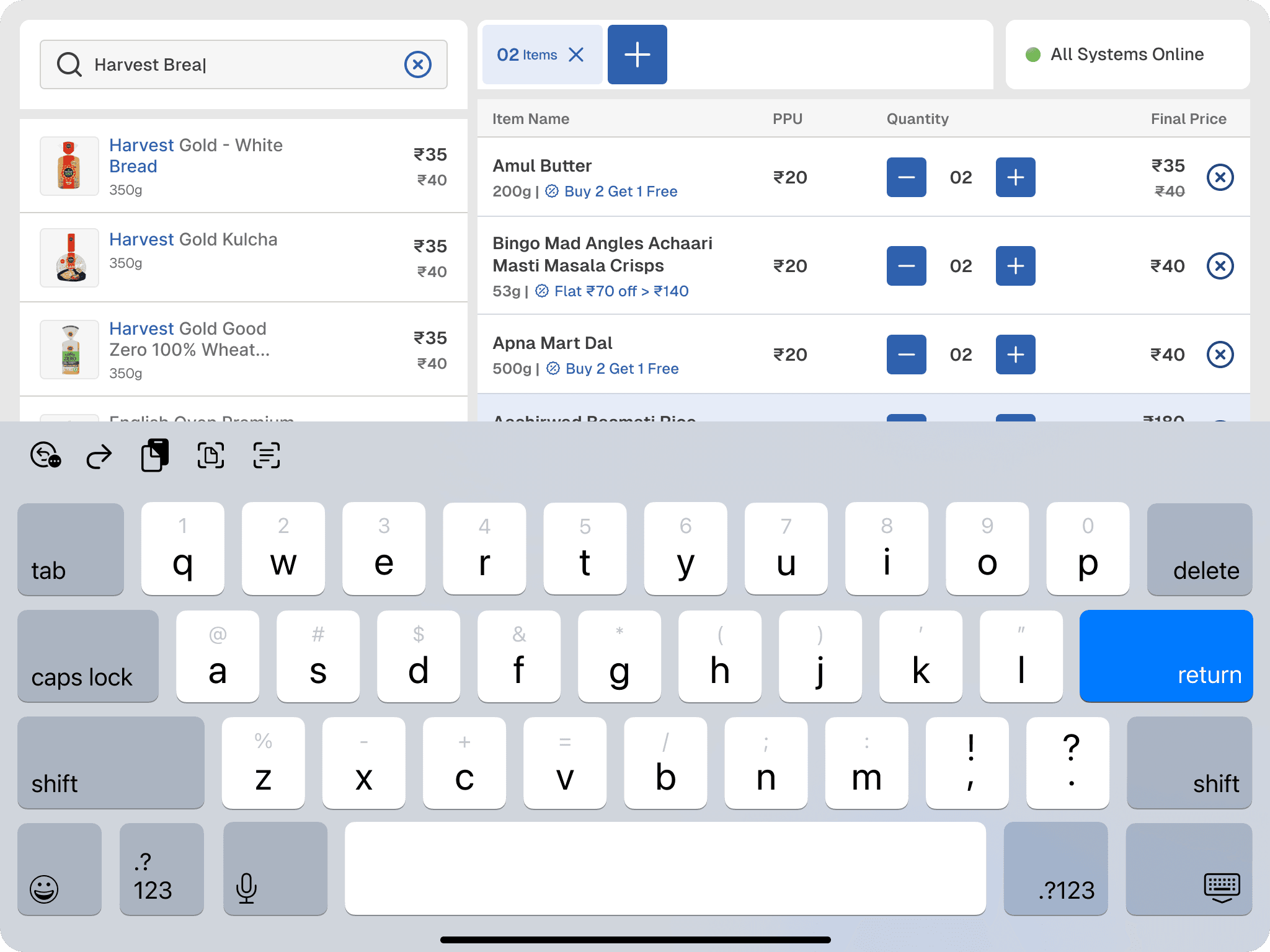
Non-barcoded or damaged-barcode items could still be found by name or SKU, with a keypad available alongside.
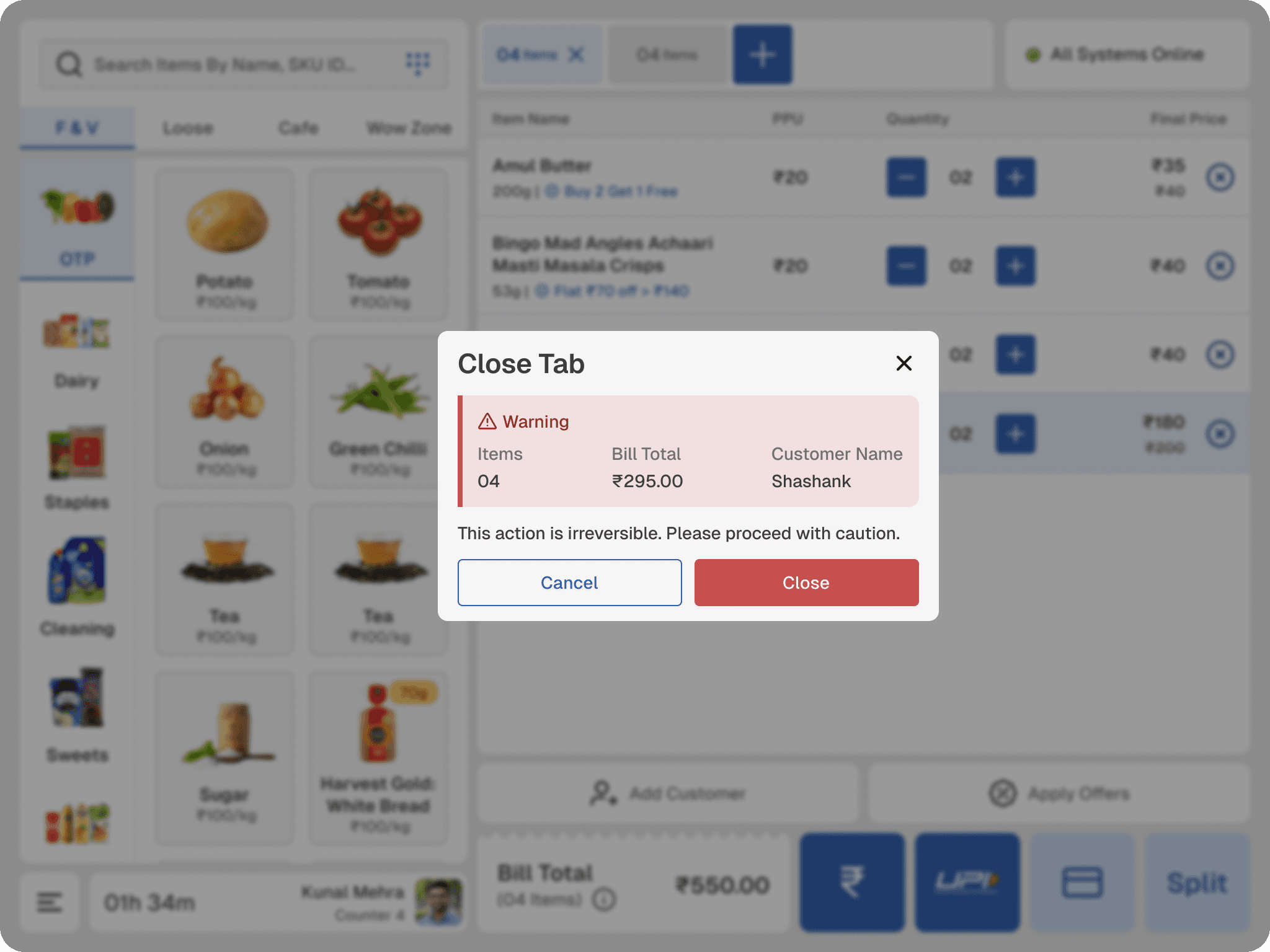
We introduced browser-style tabs; when a customer leaves mid-transaction to grab a forgotten item, the cashier has to either freeze the queue or lose the bill. With this design the cashier could park one bill, start a new session, and return to the first without losing anything.
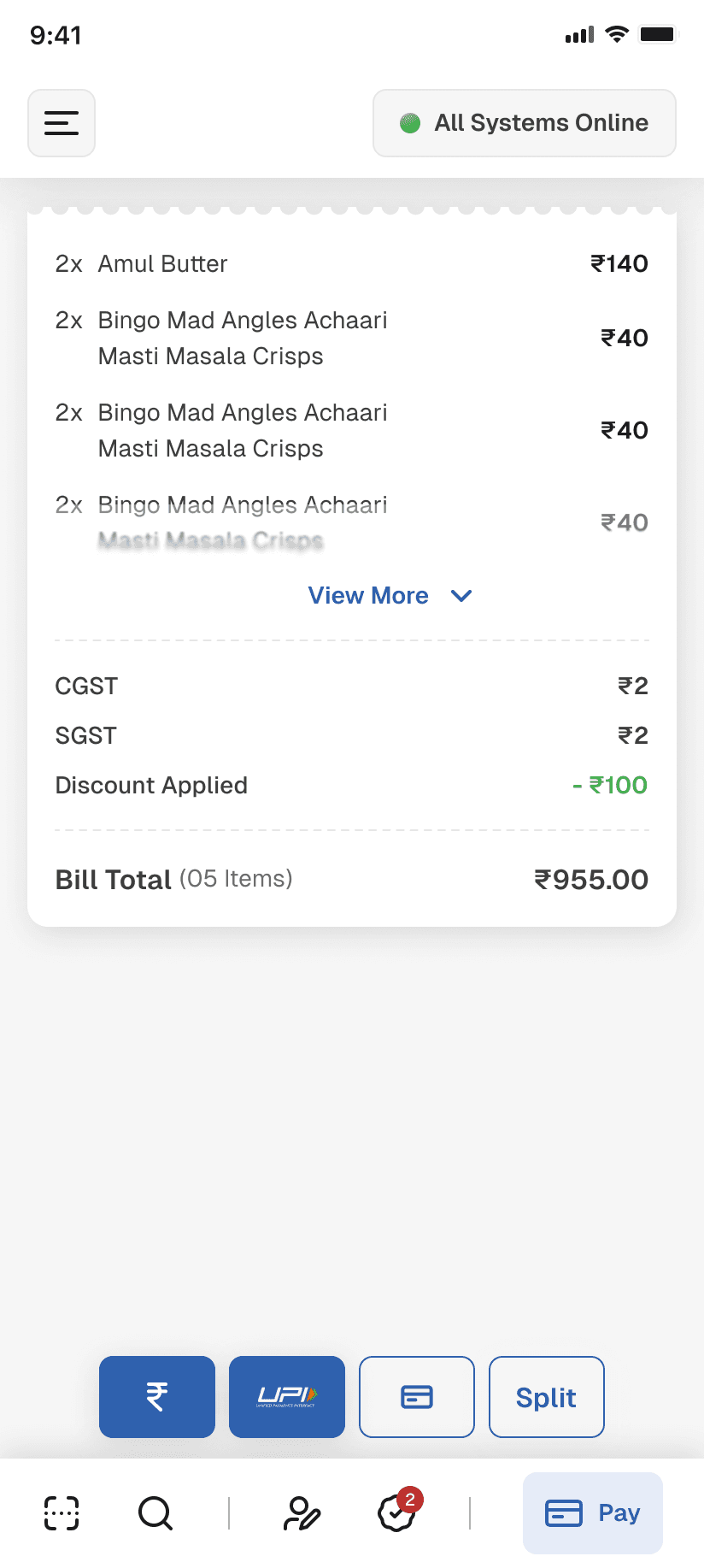
The billing summary stayed collapsed by default — only the total visible to the customer, with GST breakdowns hidden unless needed.
Customer phone number had an input field at the top.
Discount codes had a panel that surfaced applicable offers, including bank-linked promotions.
Payment was handled with large icons — cash, card, UPI, split. A status bar in the top right showed system health at all times.
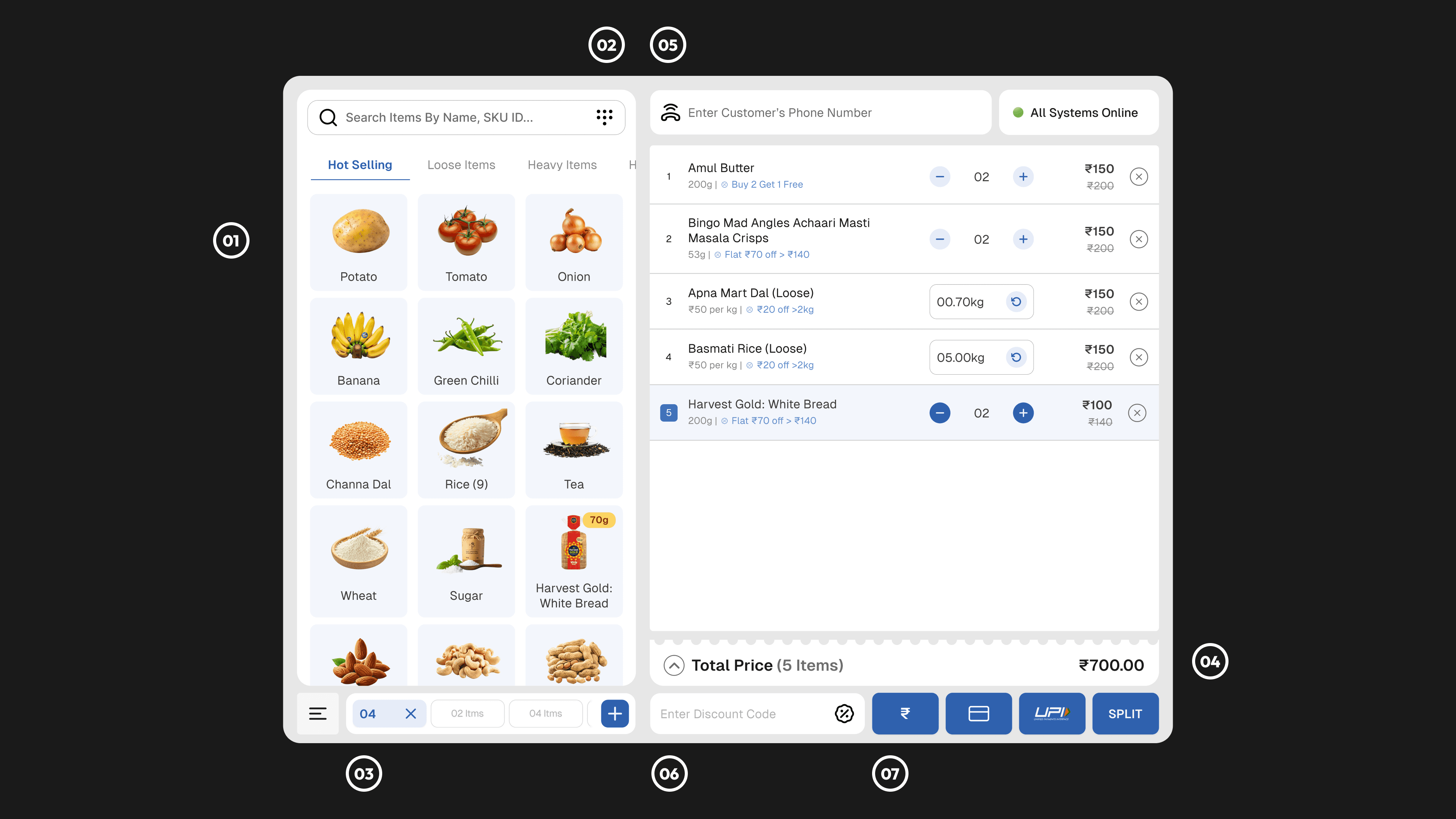
Images: redesigned POS V1
We thought we were done, the PM was aligned. The team from Apnamart had signed off. We were ready to move forward.
Then the co-founder walked in.
04
The co-founder didn't
He didn't like it.
And unlike most stakeholder feedback, his wasn't vague. From direct experience of watching cashiers work in his own stores, he made us realise things that took our designs to another level
The sequence of actions: adding items, applying offers, completing the bill; all was scattered across the screen instead of following a single logical flow. A cashier's hand should never travel back and forth across the display. Every action should follow from the last one, spatially.
Button sizes needed to be larger, beyond web accessibility guidelines. Cashiers aren't using this once. They're billing hundreds of customers every shift. Missed taps compound across a day.
He was willing to go down to the microsecond. That was the level of intent this required.
We had an understanding of the software, and we had an alignment with the PM. What We didn't have a physical understanding of how someone operates it under pressure, hundreds of times a day. Classic Form-Context mismatch, as Christopher Alexandar would put it.
We went back to the whiteboard.
05
The redesign
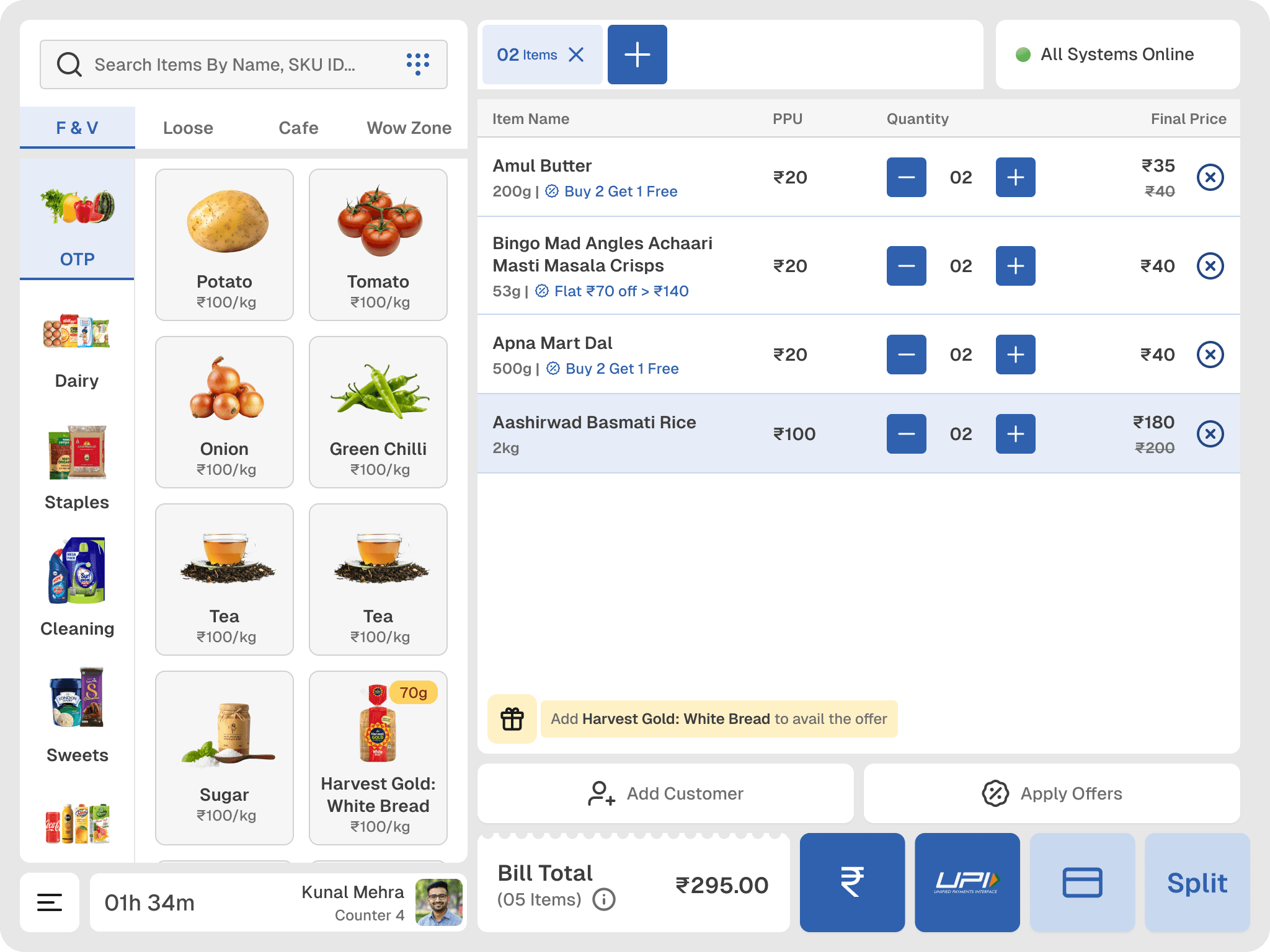
In the first version: customer phone number sat at the top as an input field, discount code at the bottom, session tabs running along the bottom bar, single-level item filtration, smaller billing buttons, lower contrast throughout.
In the redesign:
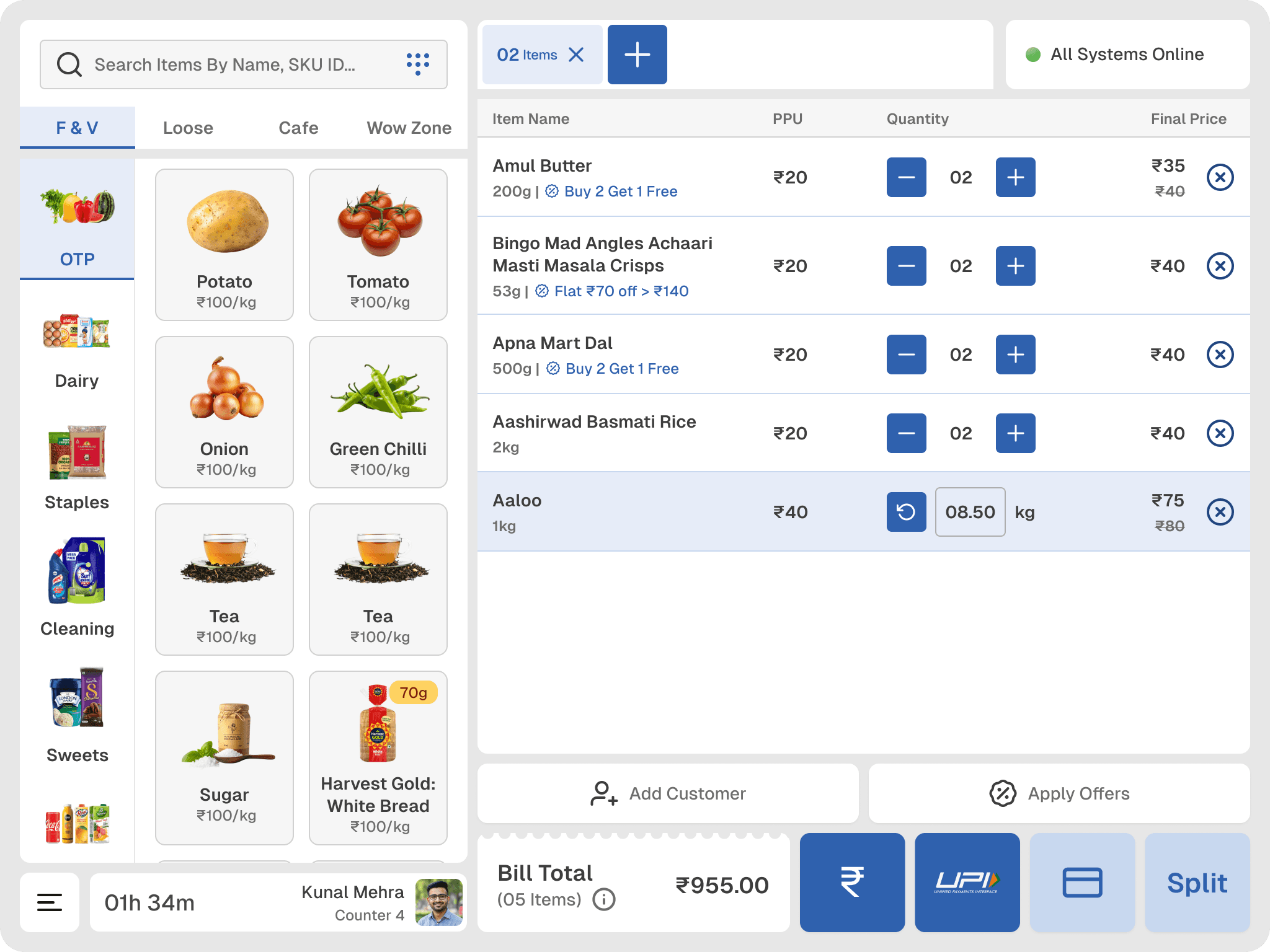
The entire action layer: add customer, apply offers, all billing actions moved to the bottom. That is where the hand is. That is where decisions should live.
Session tabs moved to the bottom left. Cashiers don't switch sessions mid-flow. It doesn't need primary real estate.
Item filtration became two levels:
Top-level categories like F&V, Loose Items on one axis;
Subcategories on a left rail. Even though we lost one column of items in the grid, we made it more certain for the cashiers to find the right items.
Customer phone number was demoted from an input field to a button labelled "Add Customer." Not every customer agrees to share their number.
Billing buttons grew. Row contrast increased. More forgiving.
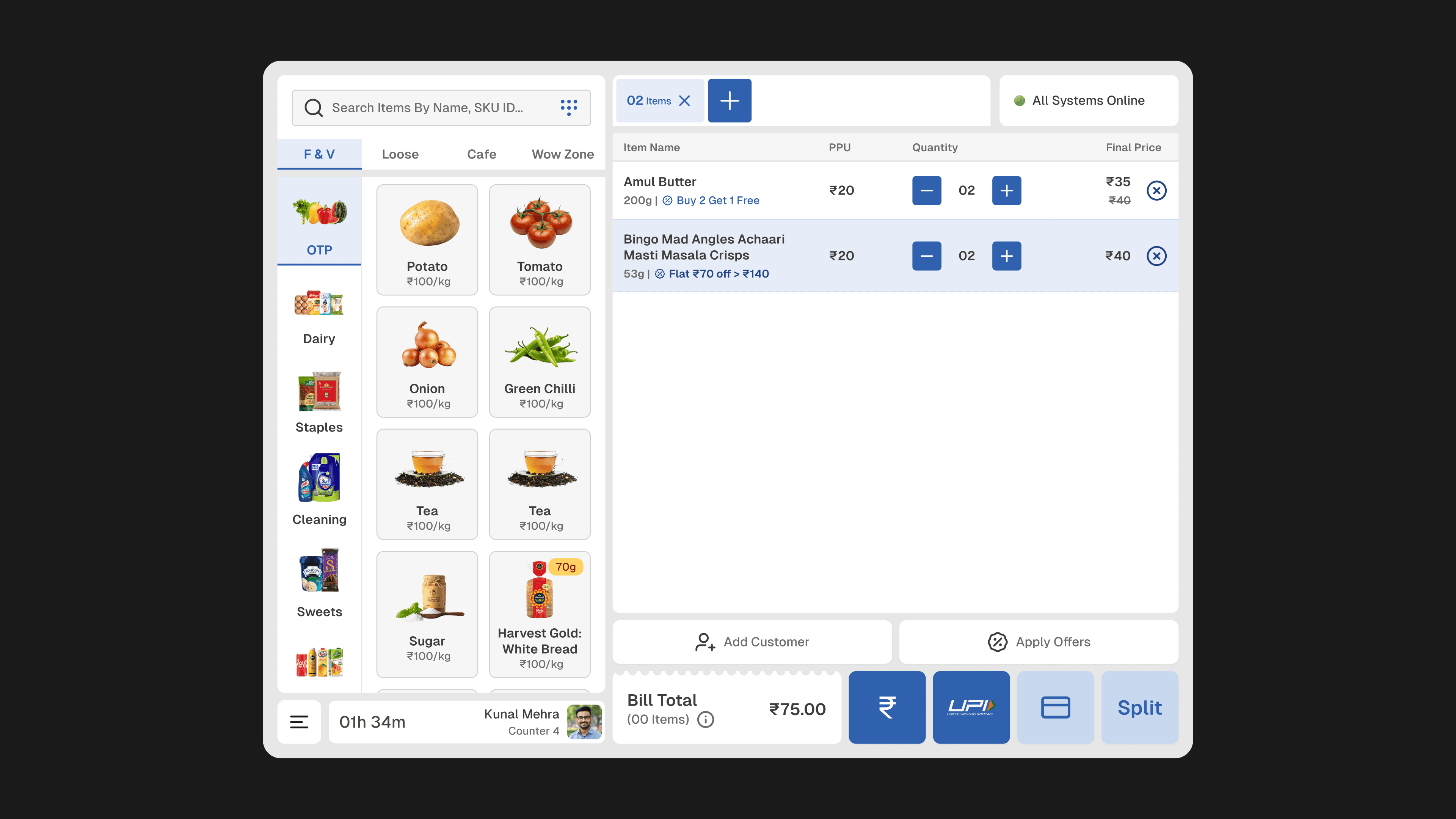
Images: before and designs
Seeing the redesigns, the co-founder didn't say much, just few minor feedbacks here and there, but we could see that he was aligned with everything. Now the job was finally done.